It's time any my friends is not know how to create Blogger Feed. In here I will try explain how do create Blogger Feed, it's step-by-step :
- Enter your blog's web address in the "Ready to Burn?" form found on FeedBurner's homepage and at the bottom of the pages in the Blog and Podcast sections. If you plan to publish a podcast with your Blogger feed, check the "I am a podcaster" box. Click Next ».
 The Identify Feed Source page should appear.
- On "Welcome", make sure the title and FeedBurner address (URL) of your new feed are values you prefer.
 The Create or Sign In To Your FeedBurner Account page should appear.
- Also on this page, create a FeedBurner account by picking a username and password and supplying your email address.
When you've supplied all the required information on this page, click Activate Feed ». A "Congrats" page should appear.
- Read all of the information on "Congrats", then click Next » to continue with the setup process.
- if you selected "I am a podcaster" on the homepage, configuration options for our SmartCast service will appear. Here you can supply categories and other information for iTunes, append a copyright message, and submit your podcast to Yahoo! Search.
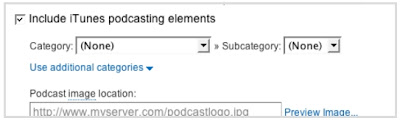
When you are finished, click Next ». Configuration options for FeedBurner stats services should appear.
- On the stats configuration page, select the level of feed stats detail you want.
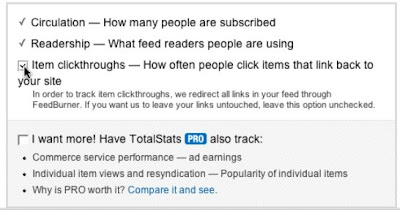
Click Next » to finish the setup process and enter our feed management interface.
You're now ready to make your FeedBurner feed available on your Blogger site!
Source : google.com
Read More..


 Posts
Posts